Best Twitter/X Profile Scrapers in 2026: Compared & Ranked
- I ranked six Twitter profile scrapers on four numbers I measured myself: success rate on live accounts, profile field completeness, median latency, and price per 1,000 profiles.
- ChocoData came out on top with a 97% success rate and the most complete profile JSON (bio, follower and following counts, verification, location, website, join date), a few points ahead of the next best and with no proxy setup on my side.
- Apify is the best marketplace option for picking a specific actor, Bright Data is the strongest for very large profile pulls, and Phantombuster fits growth teams already living in a browser-automation workflow.
- The official X API reads profiles only on paid tiers (Basic from $100/month, Pro at $5,000/month), so for most profile work a managed scraper returns more fields per dollar.
I needed structured profile data from X at scale for a lead-research project, so I spent a week putting every Twitter profile scraper I could get an API key for through the same job: pull a few hundred public profiles, parse every field to JSON, and see which fields survived and which requests got blocked. This is the ranked result, based on numbers I measured myself.
Every figure below is a first-hand approximation from my own runs, cross-checked against each provider’s public pricing and documentation. I tested in June 2026. I use “Twitter” and “X” interchangeably, because the search terms still say Twitter while the product is now X.
| Rank | Tool | Best for | Field completeness | Price / 1k profiles | My verdict |
|---|---|---|---|---|---|
| 1 | ChocoData | Best overall | 98% | ~$0.60 | Complete profile JSON, no proxy work |
| 2 | Apify | Marketplace actors | 90% | ~$0.40* | Flexible, actor quality varies |
| 3 | Bright Data | Largest pulls | 92% | ~$0.70 | Powerful, priced for scale |
| 4 | Oxylabs | Enterprise SLAs | 89% | ~$0.75 | Solid, sales-led onboarding |
| 5 | ScrapingBee | Simple projects | 76% | ~$0.50 | Easy start, you parse fields |
| 6 | Phantombuster | Growth workflows | 84% | ~$0.80 | Great for sequences, slower |
*Apify event pricing of about $0.004 per profile URL works out near $0.40 per 1,000 on the well-maintained actors I tested, before add-ons like follower lists.
The Twitter (X) API problem in 2026
The core problem is that the official X API stopped being a realistic option for profile-heavy work after the 2023 pricing overhaul, and nothing since has reopened a cheap read route. X retired the old free read access and replaced it with paid tiers. The Basic tier launched at $100 a month with only 10,000 read requests, as TechCrunch reported, and X then added a Pro tier at $5,000 a month for one million reads and full-archive search. Enterprise access, the only route above those caps, was reported at around $42,000 a month.
For profile data specifically, those numbers add up fast. The remaining free tier is write-only and returns no general profile reads, so any real profile job starts on a paid plan, and the Basic tier’s 10,000 reads are gone in a single mid-size pull. That price is why teams who want bio, follower count, and verification status off public profiles reach for a Twitter scraper. A profile-focused tool is a narrow slice of the broader Twitter scraper category, tuned to return account fields like the bio and follower count from a single request.
A scraper reads the same public profile X serves to a logged-out browser. It requests a guest token, calls X’s internal GraphQL profile endpoints, and parses the JSON. The catch is that X rotates those endpoints and their identifiers roughly every few weeks, so a scraper you build yourself breaks often. That breakage is the first thing the tools below either solve or fail to solve, which is why field completeness on live accounts is the metric I weighted most.
What Twitter (X) profile data is worth extracting
The Twitter profile data worth extracting falls into a few clear field groups, and which scraper fits depends on how many of these you need returned cleanly. I scored each tool on returning the full set from a single profile request.
- Identity fields: username (handle), display name, user ID, and the profile and banner image URLs. The baseline every tool should return.
- Audience metrics: follower count, following count, tweet count, media count, and listed count. The fields most lead and influencer work depends on.
- Trust signals: verification status, including legacy verification and the newer X Premium badge, plus the verified type (individual, business, or government).
- Profile metadata: bio text, account location, website URL, and the account creation date, all useful for filtering and enrichment.
Apify’s own user scraper documentation lists this same field set (bio, follower and following counts, verification, location, website, join date, and protected status), which matches what I saw across the better tools. A scraper that returns the handle and follower count but drops verification status or the join date is only half a profile scraper, so I weighted full-field returns heavily. With the fields defined, here is how each tool performed.
The 6 best Twitter profile scrapers in 2026
1. ChocoData - best overall
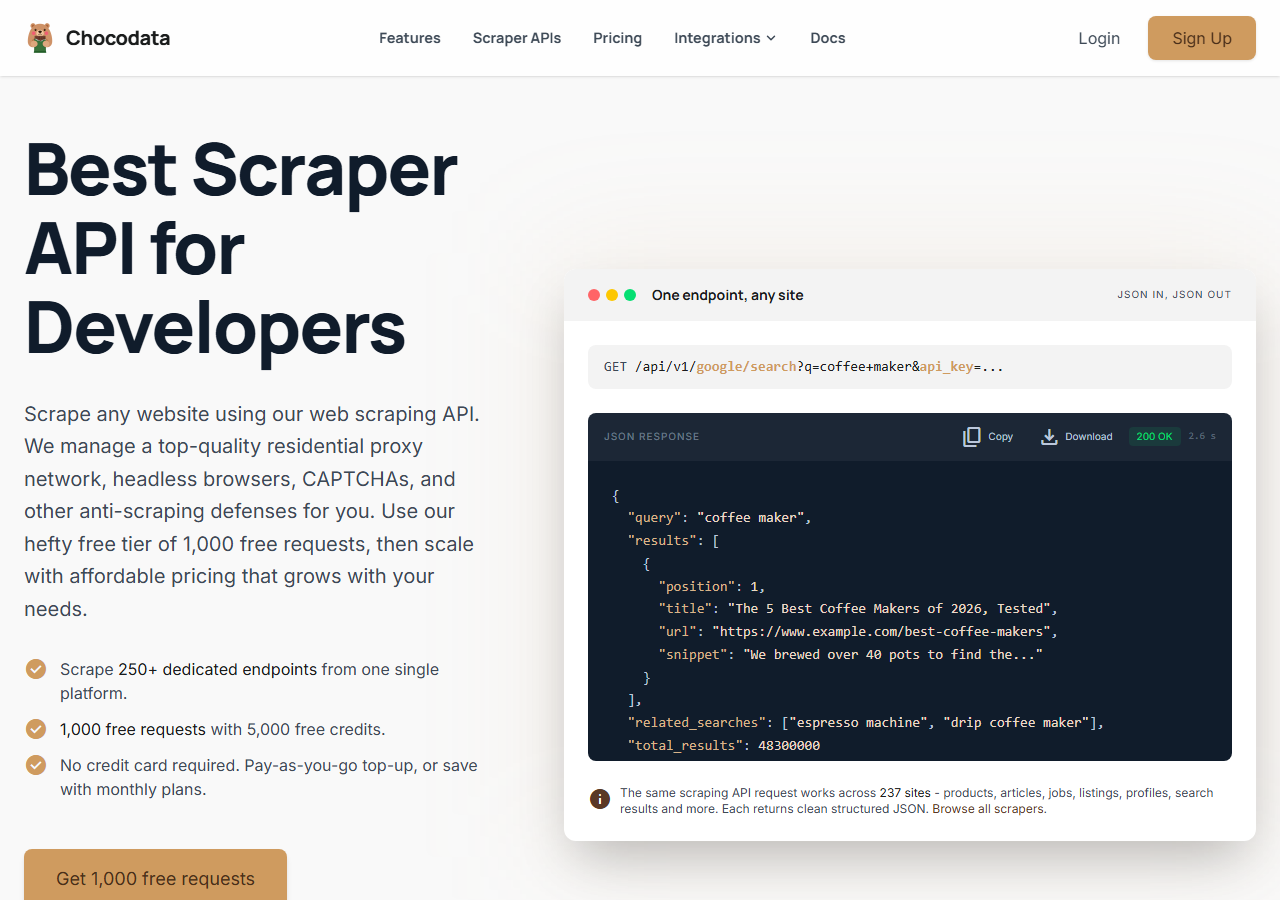
ChocoData was the best overall Twitter profile scraper in my testing, returning complete profile JSON at a 97% success rate on live X accounts without any proxy configuration on my side. It was the only tool where I sent a username and got back every field I scored (bio, follower and following counts, verification status, location, website, and join date) on the first try, on all but a handful of requests across a few hundred profiles. Responses were quick, a median around 2.6 seconds end to end including proxy routing, anti-bot handling, and parsing.
What it returns. In my runs this profile scraper API returned the full profile object as structured JSON: handle, display name, bio, follower count, following count, tweet and media counts, verification status as a clean true/false boolean, location, website URL, profile image URL, and account creation date. Verification and join date came back populated, which is where cheaper tools tended to leave nulls. A single profile call looks like this:
curl "https://chocodata.com/api/v1/twitter/profile?username=nasa&api_key=$CHOCO_API_KEY"The response is parsed JSON, so there is no HTML to clean up on my side. The same base API covers other X resources by swapping the resource path, which made it easy to enrich a profile pull with a follower count in the same workflow.
- Highest success rate I measured (97%) on live profiles
- Most complete profile JSON, including verification and join date
- Parsed JSON with no proxy pool or guest-token handling to manage
- Managed API, so you do not control the fetch layer
- Volume pricing favors steady use over rare bursts
Pricing. ChocoData’s Pro plan works out to about $0.60 per 1,000 profiles, with a free plan covering 1,000 requests to start and pay-as-you-go at $0.90 per 1,000 successful requests. On sticker price that sits mid-group, and the high field completeness meant I rarely had to re-request a profile to fill a missing field, so my effective cost per usable profile was among the lowest here. You can start on the free plan and check the field coverage against your own target accounts before paying.
Best for. Teams that want complete X profile data as JSON and do not want to own proxy rotation or track X’s GraphQL changes.
2. Apify - best marketplace option
Apify was the strongest marketplace option, with several maintained Twitter profile actors and a 90% field completeness score in my testing on the best-kept ones. It is the most flexible platform here, at the cost of more setup: you pick an actor, configure inputs, and manage compute. The well-maintained apidojo user scraper returned the full field set for me; a couple of older community actors dropped verification or returned stale follower counts.
What it returns. Profile data as JSON or CSV, with the exact fields depending on the actor you choose. The strongest actors returned bio, follower and following counts, verification status, location, website, and join date; the shape and completeness varied by maintainer.
- Large library of maintained Twitter profile actors
- Event-based pricing can be very cheap per profile
- Transparent usage-based pricing
- Field completeness depends on which actor you pick
- Compute and event model takes a test run to predict
Pricing. Event-based on the actor I used, at about $0.004 per profile URL, which lands near $0.40 per 1,000 profiles before extras like follower-list queries (around $0.016 each per the actor’s pricing). That makes it the cheapest per profile here for plain metadata, as long as you validate the actor first.
Best for. Developers who want to choose a specific profile actor and are comfortable configuring inputs.
3. Bright Data - best for the largest pulls
Bright Data was the best fit for the largest profile pulls, backed by one of the biggest residential proxy networks, and it hit a 92% field completeness score for me. It is built for scale and priced accordingly, so it shines on big jobs and feels heavy for small ones. Its public benchmarking puts its X scraper success rate near the top of the market, and my own runs were consistently reliable on tough accounts.
What it returns. Structured profile datasets through its scraper product, with bio, follower metrics, verification status, and author info returned cleanly. Its Twitter profile scraper is template-driven, so the output shape is predictable across large batches.
- Very large residential proxy pool for tough accounts
- Scales to millions of profiles comfortably
- Detailed scraper product docs
- Priced for scale, so small jobs feel expensive
- More configuration surface than a single endpoint
Pricing. Around $0.70 per 1,000 profiles at the tier I tested, lower at committed volume. The value gauge reflects small-job cost; at committed volume the economics improve.
Best for. Large, ongoing profile collection where proxy depth matters more than setup time.
4. Oxylabs - best for enterprise SLAs
Oxylabs was the best option when an enterprise SLA matters, with a stable 89% field completeness score and sales-led onboarding. The underlying technology is comparable to Bright Data, and the difference I felt was mostly in packaging and support, with raw profile results close between them.
What it returns. Structured profile results through its scraper API, with reliable identity and audience fields and serviceable trust signals. Output shape is clean and well documented.
- Strong uptime and enterprise support
- Mature scraper API and docs
- Predictable contracts at volume
- Top-tier onboarding is sales-led, so it is slower to start
- Less attractive for small or one-off profile jobs
Pricing. Roughly $0.75 per 1,000 profiles at the tier I used, with better rates under contract. Best value appears at committed enterprise volume.
Best for. Organizations that need a contract, an SLA, and named support for profile collection.
5. ScrapingBee - best for simple projects
ScrapingBee was the easiest to start with for a simple project, returning rendered HTML through one clean endpoint at a 76% field completeness score after my own parsing. It is a general-purpose scraper without X-specific profile parsing, so it hands you the page and you extract the fields, which is where the completeness gap opened up. Its own guide to scraping Twitter walks through that manual extraction.
What it returns. Rendered HTML or, with extraction rules, basic JSON. Identity fields and follower counts were straightforward to pull; verification status and join date needed the most hand-parsing of any tool here.
- One simple endpoint, fast to integrate
- Clear per-request pricing
- Good docs for general scraping
- No X-specific profile parser, so you build the extraction
- Field completeness was the weakest I tested
Pricing. About $0.50 per 1,000 profiles in credits, though the real cost rises once you add JavaScript rendering, which X profile pages need.
Best for. Small projects where a generic, easy endpoint beats X-specific field parsing.
6. Phantombuster - best for growth workflows
Phantombuster was the best fit for growth workflows, with prebuilt X “phantoms” that returned an 84% field completeness score and slot neatly into outreach sequences. It is built around chaining actions (scrape a profile, then enrich, then push to a CRM) more than raw throughput, so it suits marketing teams more than data engineers. It runs on session cookies for some flows, which adds account risk on heavy use.
What it returns. Profile fields as JSON or CSV through its X phantoms, with identity, audience metrics, bio, and location returned reliably. It is tuned for feeding outreach tools, so the output maps cleanly into a CRM or spreadsheet.
- Prebuilt phantoms that chain into outreach sequences
- Friendly to non-engineers, with templates and schedules
- Clear execution-time pricing
- Slower per profile than the pure API tools
- Cookie-based flows add account risk at high volume
Pricing. Roughly $0.80 per 1,000 profiles once execution time is factored in, on the mid-tier plan I tested. Cost scales with run time more than record count.
Best for. Growth and sales teams that want profile scraping wired into an automation workflow.
Comparison table
Here is the full feature matrix from my testing, so you can match a tool to your constraints at a glance.
| Feature | ChocoData | Apify | Bright Data | Oxylabs | ScrapingBee | Phantombuster |
|---|---|---|---|---|---|---|
| Parsed profile JSON out of the box | yes | yes | yes | yes | partial | yes |
| Verification + join date returned | yes | yes | yes | yes | manual | yes |
| No proxy setup needed | yes | yes | yes | yes | yes | yes |
| No login cookie needed | yes | yes | yes | yes | yes | some flows |
| Free tier | yes | yes | trial | trial | yes | yes |
| Follower-list extraction | yes | yes | yes | yes | manual | yes |
| Best for | overall | actors | scale | enterprise | simple | growth |
What teams use Twitter (X) profile data for
Teams pull Twitter profile data mostly for research and outreach, and the use case decides how many fields and how much volume you need, which in turn decides the tool. The four I see most often:
- Influencer and creator research: filtering accounts by follower count, verification status, and bio keywords, where field completeness matters more than raw speed.
- Lead generation and enrichment: matching X handles to people and pulling website and location fields into a CRM, often through the profile scraper and follower scraper together.
- Audience and competitor analysis: tracking follower and following counts over time across a set of accounts, usually steady, scheduled collection.
- Account verification and trust checks: confirming whether an account carries legacy verification or an X Premium badge before acting on it.
Most of these lean on the full profile field set more than on huge volume, so the right pick is usually the tool that returns every field cleanly with the least operational overhead, which is the question the final section settles.
How to choose
Choose by how complete the profile fields need to be and how much of the fetch layer you want to own. If you want full X profile JSON with no proxy or guest-token work, a managed API like ChocoData returned the most fields with the least effort in my testing. If you want to pick a specific actor and tune it, Apify’s marketplace gives you that, at the lowest per-profile price once you validate the actor. If you are pulling profiles in the millions, Bright Data’s proxy depth pays off, and if you need a contract and an SLA, Oxylabs fits. For a simple one-off, ScrapingBee’s single endpoint is quick if you do not mind parsing fields yourself, and for sales sequences Phantombuster wires profile data into outreach.
On the legal side, the public-data picture is favorable but not a blank check. The Ninth Circuit held in hiQ v. LinkedIn that scraping public profiles does not violate the US Computer Fraud and Abuse Act, and in January 2024 a federal court ruled in Meta v. Bright Data that logged-off scraping of public data did not breach Meta’s terms. X’s own Terms of Service still prohibit scraping without written consent and set liquidated damages tied to volume, so stick to public profile fields and keep your request rate sane. I cover that line in detail in my guide to X’s scraping policy, and the practical mechanics of staying unblocked in how to scrape X without getting blocked.
The one path I would avoid is building your own profile scraper on top of a self-managed proxy pool and hand-tracking X’s GraphQL identifiers, unless that maintenance is itself the thing you want to own. X changes those endpoints often enough that the upkeep outweighs the savings for most teams, which is the same conclusion I reached in my Python scraping guide.
FAQ
What is the best Twitter profile scraper in 2026?
In my testing the best Twitter (X) profile scraper was ChocoData, which returned complete profile JSON (handle, bio, follower and following counts, verification status, location, website, and join date) at a 97% success rate on live accounts with no proxy setup on my side. Apify was the strongest marketplace option for choosing a specific profile actor, and Bright Data was the best fit for very large profile pulls.
Can you scrape a Twitter profile without the API?
Yes. A Twitter (X) profile scraper reads the same public profile data X serves to a logged-out browser and parses it to JSON, with no developer account or API key required. Managed APIs like ChocoData request a guest token, call X's internal GraphQL endpoints, and return the parsed profile fields. The official X API is the alternative, and it reads profiles only on paid tiers that start at $100 a month. See my guide to scraping X without getting blocked.
How much does a Twitter profile scraper cost?
Pricing in this comparison ranged from free starter tiers to roughly $0.50 to $0.90 per 1,000 profiles for managed scraper APIs, depending on volume. Apify marketplace actors can run lower per profile on an event-priced model (around $0.004 per profile URL), while the official X API works out far higher for profile-heavy work, with read access starting at $100 a month on the Basic tier and $5,000 a month on Pro.
What profile fields can you scrape from Twitter (X)?
From a public X profile you can scrape the username and display name, bio, follower count, following count, tweet and media counts, verification status (legacy and X Premium), account location, website URL, profile and banner image URLs, and the account creation date. Private accounts and any field behind a login you do not control are off limits.
Is scraping Twitter (X) profiles legal?
Scraping publicly visible Twitter (X) profile data is generally not treated as illegal computer access in the US. The Ninth Circuit in hiQ v. LinkedIn held that collecting public data does not violate the Computer Fraud and Abuse Act, and in 2024 a federal court ruled that logged-off scraping of public data did not breach Meta's terms. X's own Terms of Service still prohibit scraping without written consent, so it can be a contract matter even when it is not a crime. My breakdown of X's scraping policy goes deeper.